To deposit in M666 Game you open the wallet in the app and tap deposit and pick JazzCash or Easypaisa or bank transfer and follow the steps on screen. Use only your own payment account and check the cashier screen in the app for the current limit before you pay.
Before You Deposit
Log in to your account and open the wallet page from the home screen. Read the cashier screen in the app with care because it shows the current limit and the account details for your payment at that moment.
Use only your own JazzCash or Easypaisa account or your own bank account so the payment trail stays clear in your name. Decide your amount before you start and keep it inside the budget you set for play.
Never deposit money that your home needs for food or bills or school costs. The M666 Game overview of the whole app is worth one read before your first payment day.
Deposit With JazzCash Step by Step
Select JazzCash as your method on the deposit page of the app.
Note the account details the app shows for this payment and keep the screen open.
Type the amount you planned and check it once before you move ahead.
Approve the request in your JazzCash app or with your PIN as the screen guides you.
Return to the app and confirm so your balance can update in your wallet.
Deposit With Easypaisa Step by Step
Select Easypaisa and read the account details given in the app for this payment.
Send the exact amount from your own Easypaisa account with full care on each digit.
Keep the message or screenshot of the payment until your game balance updates.
Go back and confirm so your balance can update in your wallet.
Deposit With Bank Transfer
Select the bank option and read the bank details shown in the app at that time.
Use your banking app or branch and match every detail the game app shows.
Hold the receipt until the balance shows in your game wallet because support may ask for it.
Bank details can change so never reuse details from an old payment. Always copy the details fresh from the cashier screen for each new deposit.
How Withdraw Works From the Same Wallet
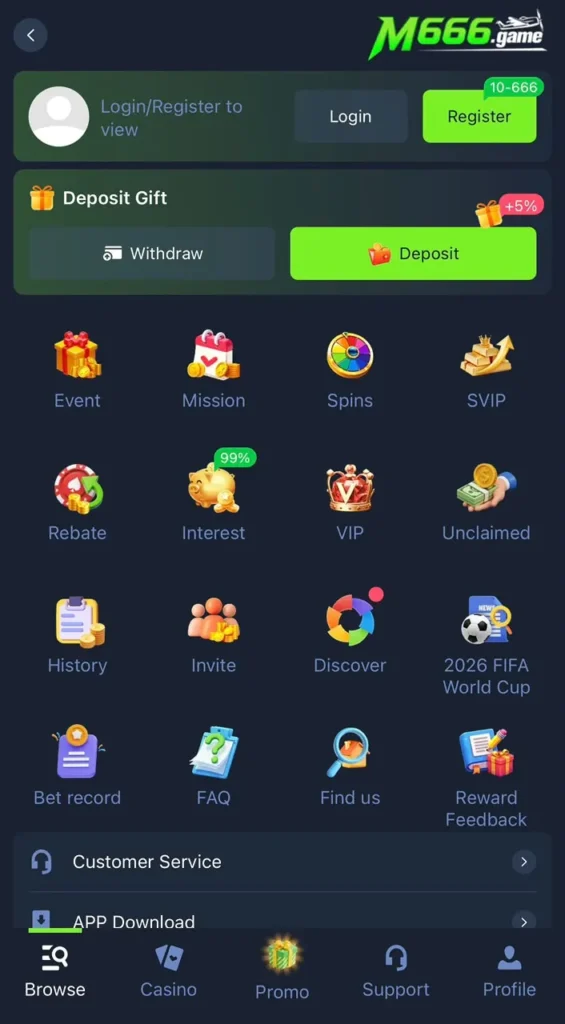
Withdraw uses the same wallet page as deposit. Tap withdraw and pick your method and add your account details with care and send the request. Check the cashier screen in the app for the current limit and for the time it shows for your request and wait for the app to process it.
Keep your deposit and withdraw methods in your own name so requests move without extra checks. If a request takes longer than the time shown then contact in app support with your receipt and your request time ready.
Deposit Problems and Fixes
Money left my wallet but the balance did not update
Wait a short while because payment networks can lag. Keep your receipt and check the wallet again. If the balance still does not move then contact in app support with the receipt and the exact time of payment.
I sent money to old account details
Always copy details fresh from the cashier screen for each payment. If you already sent to old details then contact support at once with your receipt so they can trace it.
The app rejected my amount
Your amount may sit outside the current limit shown on the cashier screen. Adjust the amount to sit inside the shown range and try again.
My JazzCash or Easypaisa app shows an error
Check your wallet balance and your network and try once more. If the error stays then the wallet service may be down for a while so wait and retry later. If the game app itself looks old or broken then a fresh file from the download guide for the latest build often clears wallet errors too.
Deposit Safety Tips
Never let another person make a deposit for you from their account because mixed names create problems at withdraw time. Never share your wallet PIN or any code with a person who claims they can double your deposit because that is a known scam in this niche.
Start small with your first deposit and confirm the full flow works before you add more. Players who still need an account can follow the register guide first and players with sign in trouble can fix that with the login help page before they move any money.
JazzCash or Easypaisa Which One Should You Pick
Pick the wallet you already use every day because a familiar app means fewer mistakes at payment time. If your salary or your shop income lands in JazzCash then deposit with JazzCash. If your family sends you money on Easypaisa then that wallet is the natural choice for you.
Both routes reach the same game wallet and both follow the same cashier screen inside the app. The best method is the one where your name and number are already verified because clean details keep your later withdraw smooth and fast.
How to Check Your Deposit Inside the App
After you confirm a payment go back to the wallet page and look at your balance with fresh eyes and give the network a short moment when the figure looks unchanged. Open your wallet history in the app when that view is offered because it shows each deposit with its time and its state and it is the best proof that your payment reached the right place.
Match the time and the amount in the history with the receipt in your JazzCash or Easypaisa app and save both records until you have played with a calm mind and closed the session. Clean records end almost every payment dispute before it even starts and they help support trace a slow payment in minutes.
Your rewards and your wallet sit close to each other in the app so a quick tour after your first deposit helps you learn where each balance and each offer lives before you start to play.
More Deposit Not Received Fixes
You paid but closed the app at once
Open the app again and check the wallet history because the payment often lands in the background even when you close the screen early and the history is the first place to look.
You typed one digit wrong in the details
Stop and save your receipt and contact in app support at once with the exact time and the exact amount because a wrong digit needs a trace by the support team and speed helps that trace.
Your wallet app shows success but the game shows nothing
Wait a short while and then refresh the wallet page and check the history view and only contact support after that wait with your receipt ready in your hand.
Deposit Safety Rules to Follow Every Time
Pay only from a wallet in your own name and pay only to details shown fresh on the cashier screen and never to details sent by a person in a chat. Never pay a fee to unlock a deposit and never trust a person who says they can add funds for you at a discount because both lines are known scams.
Play stays fun only when money rules stay firm so set your deposit limit before you open the wallet and stop for the day when you reach it even when a game feels close to a win.
Frequently Asked Questions
First Words
Your first deposit sets the tone for every payment after it so take it slow and treat it as a learning round for the wallet flow. Log in and open the wallet and read the cashier screen from top to bottom and pick the method you use most in daily life and follow the steps for that method on this page without skipping a single check.
Send a careful amount that sits inside your play budget and confirm only when every digit on screen matches your plan and then return to the app and watch the wallet and the history until the payment shows in full. When that first clean loop ends you will know the exact taps and the exact screens for every later deposit and money stress will drop for good.
Keep that first receipt saved in your phone and in a second safe place because it proves the full path worked and it gives support a perfect record if a later payment ever needs a trace. Return to the main M666 Game guide any time you want the wider picture of games and rewards.